


Intercom Localization:
Translate Your Help Center Articles
Translate your Intercom help center articles with AI. Prismy preserves formatting, enforces your glossary, and keeps every language in sync automatically.

Available on the Intercom App Store
|
Install in one click
Translating Intercom articles shouldn't be this complicated
Without Prismy, the copy-paste marathon:
| # | What you do | The problem |
|---|---|---|
| 1 | Open Intercom, try to figure out which articles are translated | Intercom's UI doesn't give you a clear overview of translation status |
| 2 | Open the English article, copy the content | Manual work, article by article |
| 3 | Paste into ChatGPT or another LLM, ask for a translation | Generic output, no awareness of your glossary or product terms |
| 4 | Copy the translation | Still copy-pasting |
| 5 | Switch to the target language tab in Intercom, paste | More copy-pasting |
| 6 | Re-style everything: callouts, sections, formatting are lost | The translation comes back as plain text, all Intercom components are gone |
| 7 | Re-insert images, re-format blocks | More manual work for every single article |
| 8 | Repeat for every article, every language | It doesn't scale |
With Prismy, one click, everything preserved:
| # | What happens | The solution |
|---|---|---|
| 1 | Open Prismy, see instantly which articles need translation | Clear dashboard showing missing and outdated translations |
| 2 | Select articles, pick languages, click translate | AI translates using your glossary and brand voice. Intercom blocks stay intact, saving hours of reformatting |
| 3 | Review, then sync | Translations push to Intercom automatically, with all components intact |
That's it. No copy-paste. No re-styling. No lost callouts or images.
What makes Prismy different for Intercom translation
Bulk translate Intercom articles
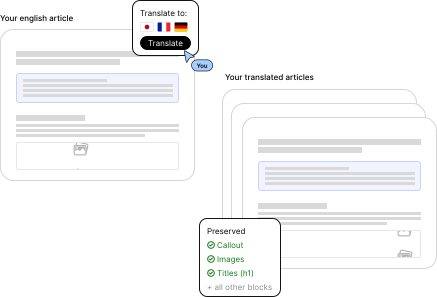
Translate 50 articles at once, with every callout, image and button preserved.
Select your articles, pick your target languages, and translate them all in one go. Prismy preserves callouts, sections, images, buttons, and all rich content blocks in every article. No re-styling, no re-inserting images. What used to take days of copy-pasting now takes minutes.
Intercom translation with AI consistency
Same terms, every article, every language.
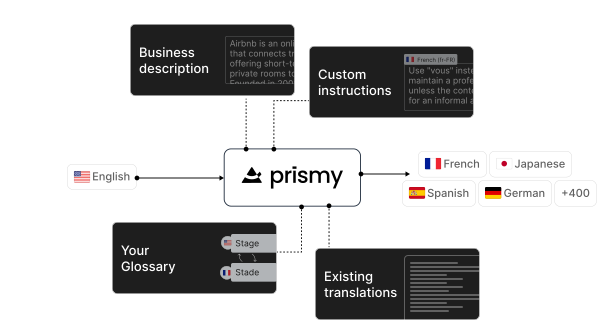
ChatGPT doesn't know your product. It translates "workspace" differently every time. Prismy's AI uses your company glossary, brand voice rules, and past corrections to produce translations that match your product's terminology. And because Prismy also manages your codebase translations (GitHub/GitLab), your app UI and help center always use the same terms.
Intercom translation status dashboard
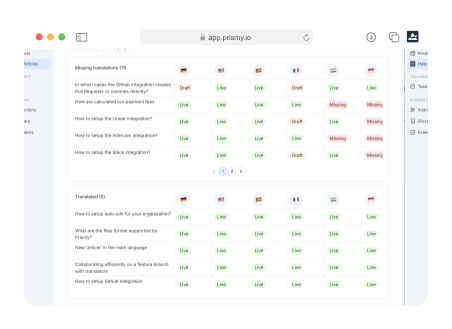
See what's missing, what's outdated, at a glance.
Intercom doesn't make it easy to know which articles are missing translations or which ones are outdated after an English update. Prismy gives you a dashboard with the full picture across all articles and all languages.
Two-way sync with Intercom
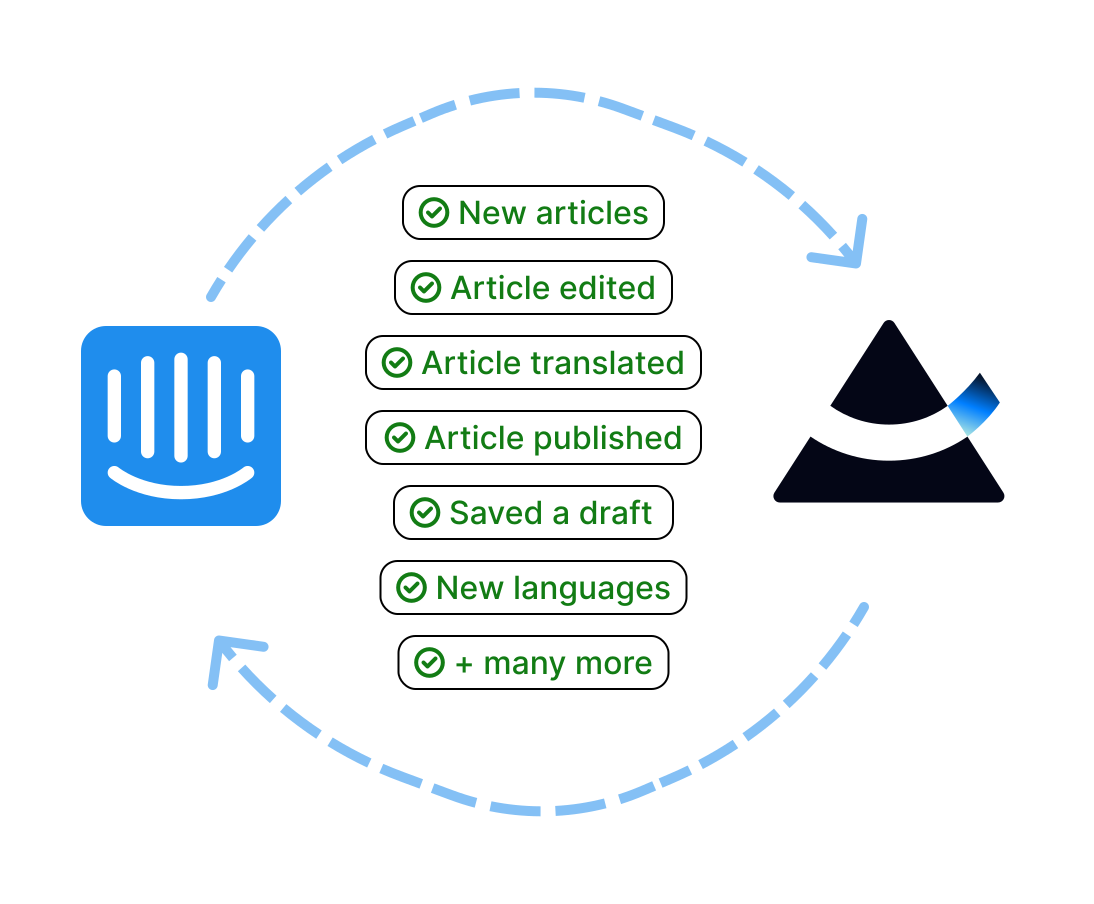
No import/export. Articles flow both ways, automatically.
Prismy connects directly to your Intercom workspace. Articles sync in automatically. Translated content pushes back when ready. When you update an English article, Prismy flags which translations need updating.
How Intercom localization works with Prismy
1
Connect
Install from the Intercom App Store, link your workspace in a few clicks
2
Sync
Your Intercom articles sync into Prismy automatically
3
Translate
Generate AI translations in one click, or assign to human reviewers
4
Publish
Translations push back to Intercom with all formatting preserved
5
Maintain
When source articles change, Prismy flags outdated translations
Built by a Certified Intercom Partner
Prismy isn't a generic translation tool bolted onto Intercom. As a certified partner, it's built to work natively with Intercom's article structure, multilingual help center setup, and rich content blocks. One-click install from the Intercom App Store. Collaboration with external translators without giving them Intercom access.
Frequently asked questions
Yes. Prismy maintains a live two-way sync. Articles import automatically, translated content pushes back to Intercom when ready. When you update a source article, Prismy flags it.
Yes. Callouts, sections, images, buttons, and all rich content blocks are preserved in the translated version. No re-styling needed.
Help center articles, including titles and body content with all their components.
Prismy uses your company glossary, brand voice rules, and learns from past corrections. The translations are consistent across all your articles and match your product terminology. ChatGPT translates each request in isolation with no memory of your terms.
Yes. You can manage codebase translations (GitHub/GitLab) and Intercom translations from the same platform, with the same glossary. Your product and help center always use the same terms.
All 45 languages Intercom offers for help center articles.
A few minutes. Create a Prismy account, connect your Intercom help-center, and start translating.
Yes. You can select any number of articles and translate them into all your target languages in a single batch. Prismy supports all 45 languages available in Intercom for help center articles.
Stop copy-pasting translations into Intercom.
Connect Prismy, automate your help center translation, and keep every language in sync, automatically.

Go global, the simple and powerful way.